How to activate your UAN and see your EPF
Activate your UAN to see your PF online
What this is. Your EPF, the Employees’ Provident Fund, is the retirement savings taken from your salary each month and matched by your employer. Your UAN, or Universal Account Number, is the single 12-digit ID that unlocks it online, so you can check your balance and passbook. This guide shows how to activate it.
Did you know? The EPF is one of the biggest retirement schemes in the world. EPFO looks after the savings of more than 7 crore contributing members (EPFO; the exact total depends on how members are counted, so check epfindia.gov.in). If a payslip of yours has ever shown “PF” cut from it, one of those accounts is almost certainly yours, sitting there waiting to be claimed online.
Why bother activating it. Your EPF is not idle money. It earns interest every year at a rate the government reviews and declares.
Did you know? For the year 2024-25, the EPF interest rate was 8.25% (set by the EPFO Central Board of Trustees in February 2025, with the Finance Ministry’s concurrence, the same rate as the year before). That is more than most savings accounts pay, and it is added to your account once a year. The rate is reviewed annually, so confirm the current one on epfindia.gov.in.
Activating your UAN lets you watch that balance grow, download your passbook, and keep your nominee up to date, all for free. You do not need an agent, and no genuine EPFO process asks you to pay a fee to see your own money. Anyone demanding a charge to “unlock” your PF is a scam.
Heads up: the method changed in 2026. EPFO (the body that runs the EPF) is reported to have moved UAN activation to the UMANG app with Aadhaar face authentication, and the old website route may be retired. The steps below reflect the latest reports, so confirm the current method on the official EPFO portal before you start. Here is how to do it.
-
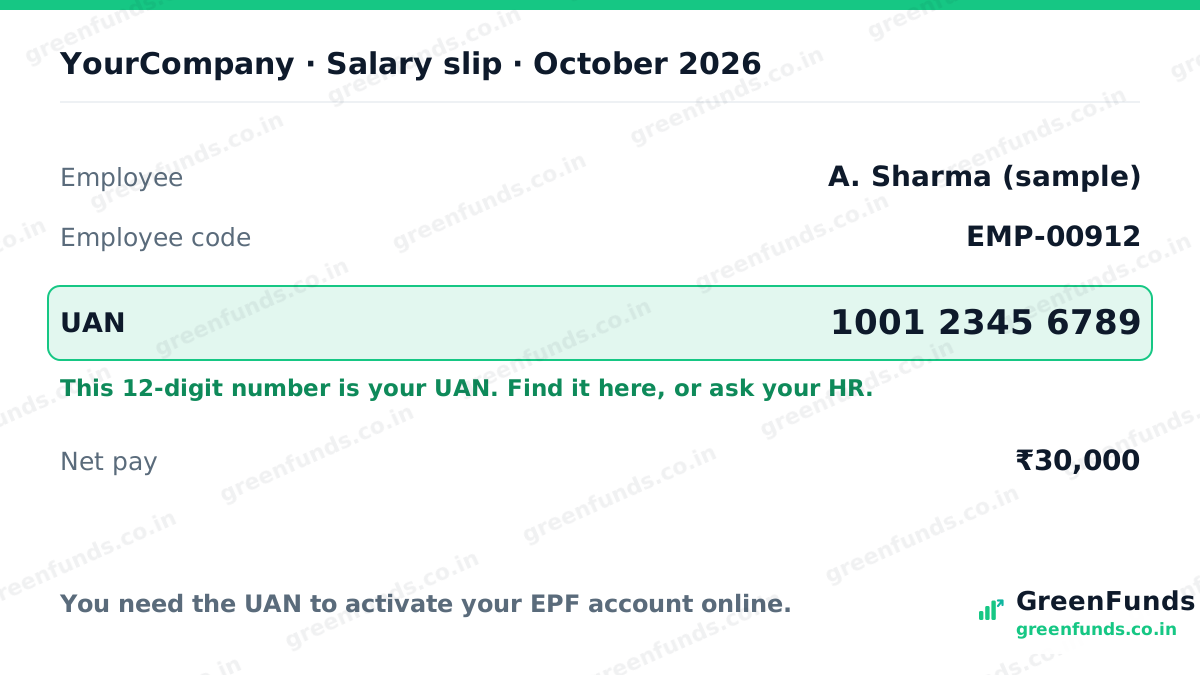
Find your UAN
Your UAN is a 12-digit number. It is usually printed on your salary slip, or your employer's HR can give it to you. You need it to activate your account.
-
Open UAN activation in the UMANG app
Install the UMANG app, open EPFO services, and choose UAN activation. EPFO moved activation here in 2026, so if your version looks different, follow the current on-screen flow.
-
Verify with Aadhaar OTP, then your face
Enter your UAN and the mobile number linked to your Aadhaar, verify the OTP, then complete the Aadhaar face scan when prompted. Your name and date of birth must match Aadhaar.
-
Set your password and log in
Create a password when asked, usually at least 8 characters with a capital letter, a number, and a symbol, then log in.
-
Check your passbook and balance
Once activated, you can see your EPF passbook and balance, and later add or update your nominee. Mask your personal details before sharing any screenshot.
Questions people ask
What is a UAN?
UAN is your Universal Account Number, a 12-digit number from EPFO that stays the same across jobs and links all your EPF accounts. You need it to see your PF online.
Where do I find my UAN?
It is usually printed on your salary slip, or your employer's HR can give it to you. It is a 12-digit number.
Can I still activate my UAN on the EPFO website?
EPFO reportedly moved UAN activation to the UMANG app with Aadhaar face authentication in 2026, and the old website route may be retired. Check the official EPFO portal for the current method.
What if my name or date of birth does not match Aadhaar?
A mismatch can cause an authentication error. You may need to correct the details with your employer or EPFO before you can activate.
Source: EPFO (epfindia.gov.in) for the activation method, member numbers and the declared interest rate. Figures change yearly; confirm the current ones on the official portal.
Found this useful? You can buy us a coffee. It keeps GreenFunds free.Flag a possible issue
Was this helpful?
Thanks for the signal.
Comments
Share your experience or a question. Be kind, stay on topic. This is reader discussion, not financial advice.
No comments yet. Be the first to share.